> ## Documentation Index
> Fetch the complete documentation index at: https://syteca.com/docs/llms.txt
> Use this file to discover all available pages before exploring further.
# Database Management Settings
> View database connection details and access Archive & Cleanup, Test Database Connection, Shrink Transaction Log, and Update Statistics from the Configuration page.
**NOT AVAILABLE IN SAAS.**
Requires the [administrative Database Management permission](/docs/administration/users/administrative-permissions). Identical for the built-in default tenant's admin and for tenant admins in Multi-Tenant mode.
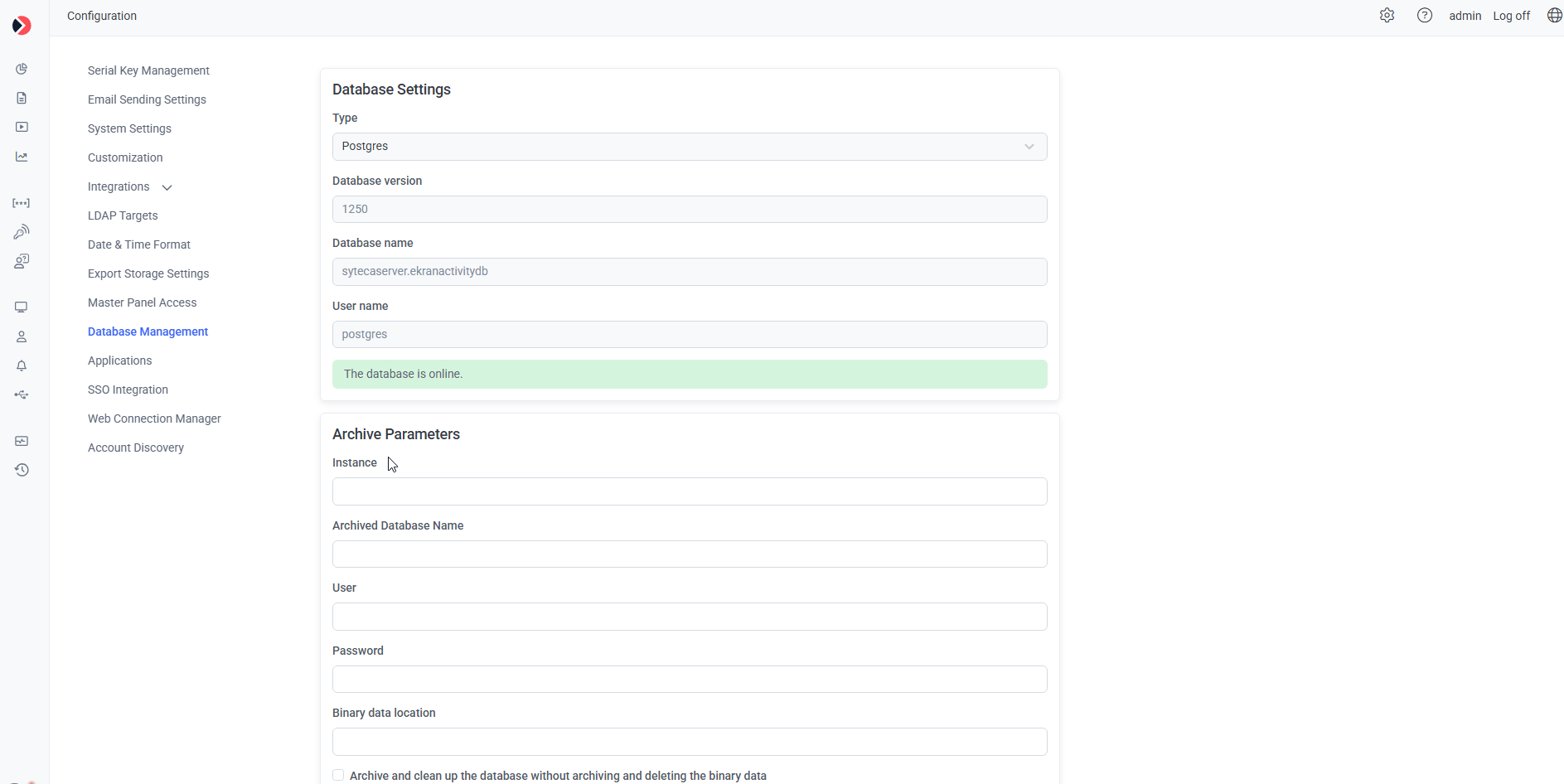
Click **Configuration**, then select the **Database Management** tab.
## Database Settings
A read-only summary of the active database connection: **Type** (MS SQL Server or PostgreSQL), **Database version**, **Database name**, and **User name**.
## Archive Parameters
Add an archived database and configure [Archive & Cleanup parameters](/docs/administration/deployment/database-management#archive-and-cleanup-parameters) for your database type.
 ## Buttons available at any time
* **Test Database Connection** — confirms whether the Application Server currently has an active connection to the archived database (and its binary storage location, if configured), and reports the result in a pop-up.
* **Shrink Transaction Log** *(MS SQL Server only)* — see [Shrink the MS SQL database transaction log](/docs/administration/deployment/database-management#shrink-the-ms-sql-database-transaction-log) for what this does and its limitations.
* **Update Statistics** *(MS SQL Server only)* — rebuilds database indexes for faster query performance. For a more thorough, scheduled approach to index maintenance, see [MS SQL index maintenance](/docs/administration/database/ms-sql-index-maintenance).
* **Save** — applies and saves changes made on this tab.
## Related
Archive, cleanup, and validation settings in full detail.
Scheduled index rebuilding beyond the one-click Update Statistics button.
Change the underlying database connection itself.
## Buttons available at any time
* **Test Database Connection** — confirms whether the Application Server currently has an active connection to the archived database (and its binary storage location, if configured), and reports the result in a pop-up.
* **Shrink Transaction Log** *(MS SQL Server only)* — see [Shrink the MS SQL database transaction log](/docs/administration/deployment/database-management#shrink-the-ms-sql-database-transaction-log) for what this does and its limitations.
* **Update Statistics** *(MS SQL Server only)* — rebuilds database indexes for faster query performance. For a more thorough, scheduled approach to index maintenance, see [MS SQL index maintenance](/docs/administration/database/ms-sql-index-maintenance).
* **Save** — applies and saves changes made on this tab.
## Related
Archive, cleanup, and validation settings in full detail.
Scheduled index rebuilding beyond the one-click Update Statistics button.
Change the underlying database connection itself.