> ## Documentation Index
> Fetch the complete documentation index at: https://syteca.com/docs/llms.txt
> Use this file to discover all available pages before exploring further.
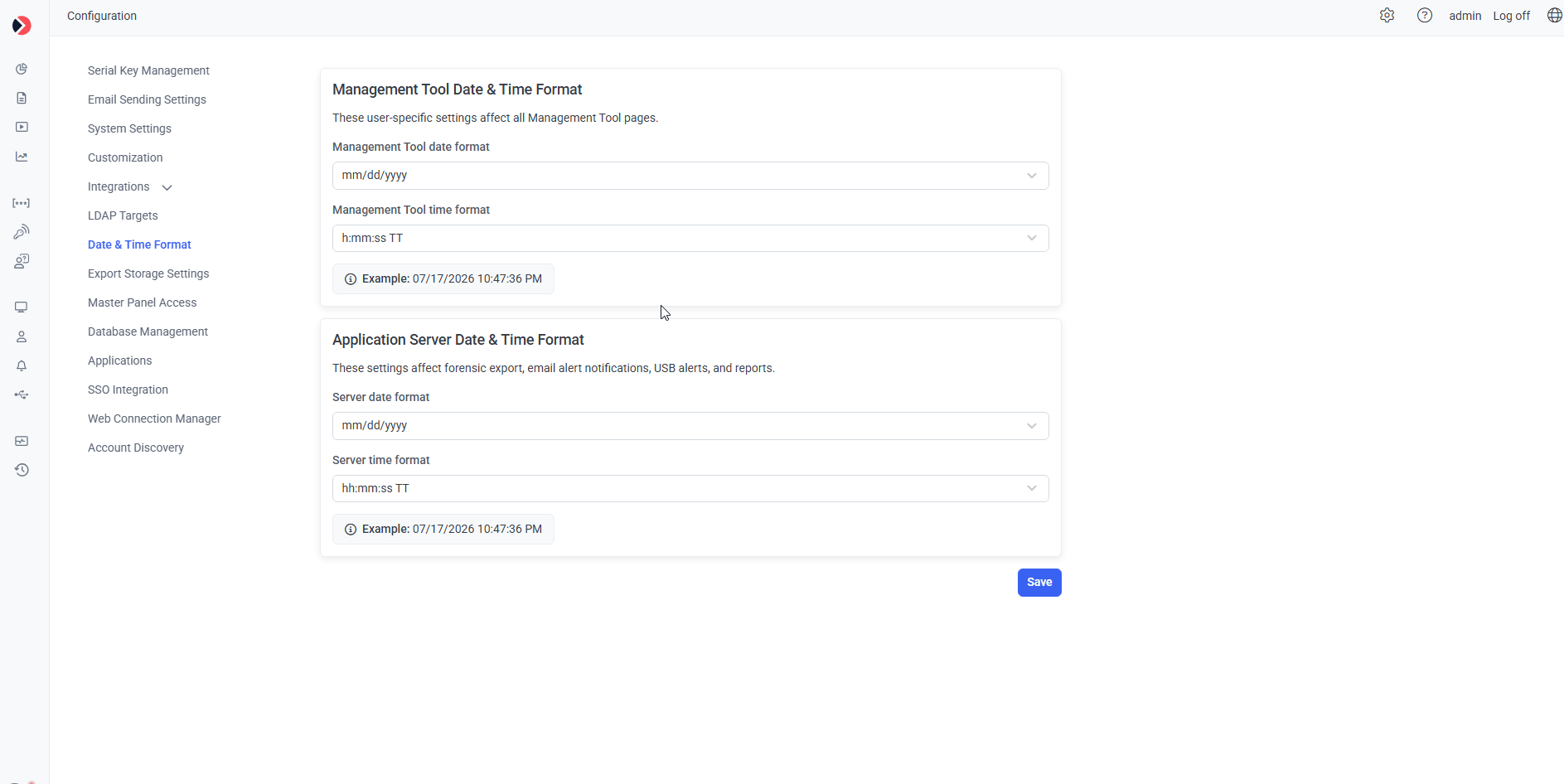
# Date & Time Format Settings
> Set the date and time format used in the Management Tool and by Application Server features like Forensic Export, alert emails, and reports.
Editing requires the [administrative Client Installation and Management permission](/docs/administration/users/administrative-permissions). Identical for the built-in default tenant's admin and for tenant admins in Multi-Tenant mode.
Click **Configuration**, then select the **Date & Time Format** tab.
## Management Tool Date & Time Format
User-specific settings applied across every Management Tool page:
* **Management Tool Date Format**
* **Management Tool Time Format**
## Application Server Date & Time Format
Applied to Application Server-processed features: [Forensic Export](/docs/session-monitoring/forensic-export), email [alert notifications](/docs/session-monitoring/alerts), email [USB alerts](/docs/session-monitoring/usb-devices/usb-access-approval), and reports generated via the Report Generator or Scheduled Reports.
* **Server Date Format**
* **Server Time Format**
## Available formats
| Date Format | Example |
| ------------ | ---------- |
| `dd/mm/yyyy` | 23/02/2017 |
| `mm/dd/yyyy` | 02/23/2017 |
| `yyyy/mm/dd` | 2017/02/23 |
| Time Format | Example |
| ------------- | ----------- |
| `hh/mm/ss` | 08:20:15 |
| `h/mm/ss` | 8:20:15 |
| `hh/mm/ss tt` | 08:20:15 AM |
| `h/mm/ss tt` | 8:20:15 AM |
 ## Related
Uses the Application Server date/time format.
Email notifications use this format too.
Other Configuration page settings.
## Related
Uses the Application Server date/time format.
Email notifications use this format too.
Other Configuration page settings.