> ## Documentation Index
> Fetch the complete documentation index at: https://syteca.com/docs/llms.txt
> Use this file to discover all available pages before exploring further.
# Configure Syteca Integration with Venn
> Restrict Syteca monitoring to only the applications opened inside a Venn workspace on Windows and macOS Clients.
Syteca integrates with the Venn app launcher so that only user activity inside applications opened in a Venn workspace is monitored on Windows and macOS Clients.
**IN SAAS ONLY:** the `EkranServer.Settings.config` file isn't available in SaaS. Contact your Syteca vendor or the Syteca Support team to enable Venn integration in a SaaS environment instead of following the steps below.
On the Application Server computer, open `EkranServer.Settings.config` (by default in `C:\Program Files\Ekran System\Ekran System\Server`).
```xml theme={"system"}
```
Save the file, then restart the **EkranServer** service.
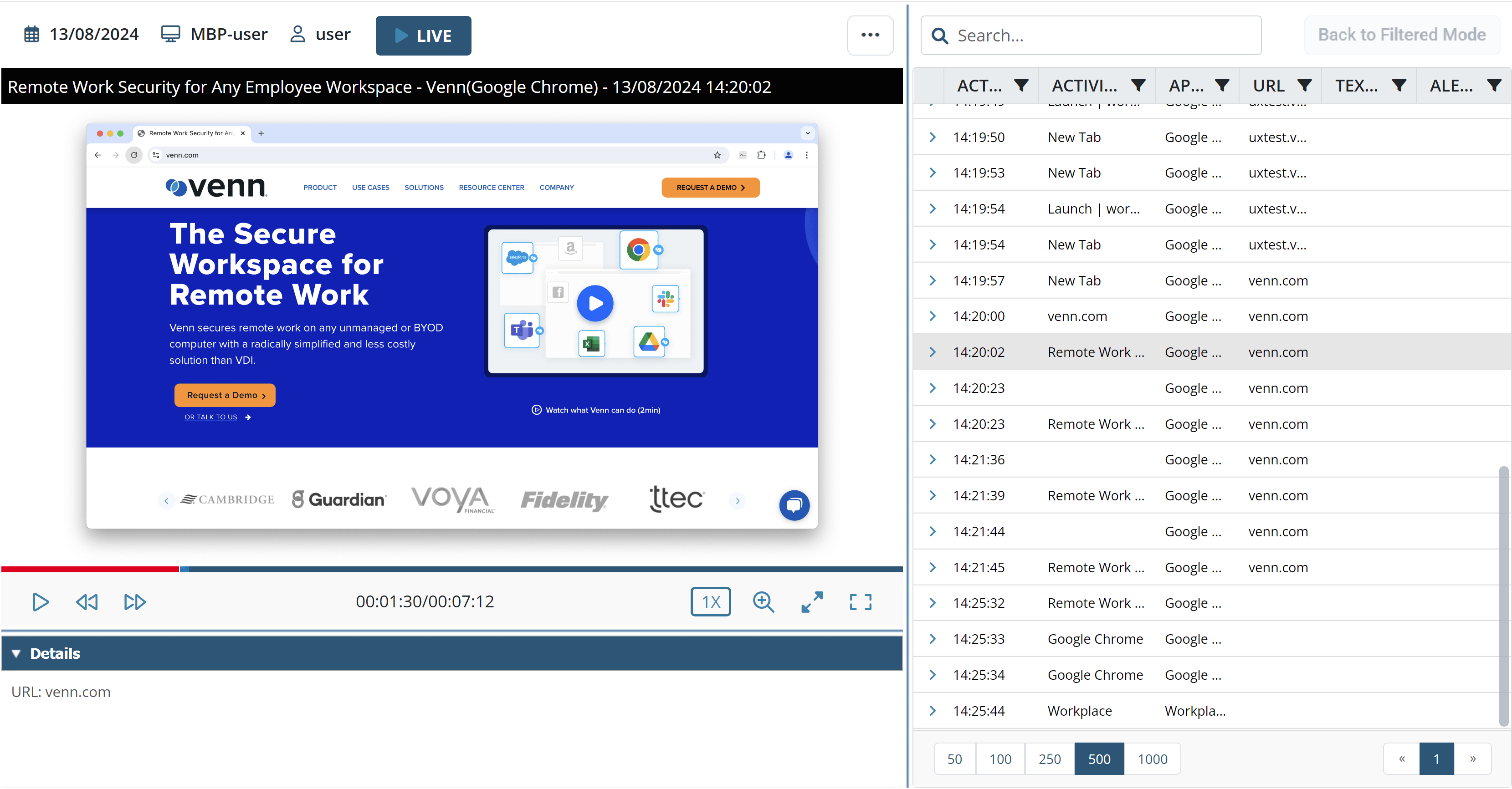
Once enabled, Syteca records only applications opened inside a Venn workspace on Windows and macOS Clients. In the Session Player, only the user's currently active window is shown — the desktop and any windows outside the Venn workspace stay hidden, displayed against a black or white background if the active window isn't full screen.
Enabling Venn integration automatically turns on [Capture active window only](/docs/session-monitoring/recording/user-activity-recording) and locks it — the checkbox can no longer be changed in the Management Tool.
 ## Related
The Capture active window only parameter this integration controls.
Full Windows Client installation and configuration reference.
Full macOS Client installation and configuration reference.
## Related
The Capture active window only parameter this integration controls.
Full Windows Client installation and configuration reference.
Full macOS Client installation and configuration reference.