

Policies are displayed to all users irrespective of their permissions. The policy state values (health, assigned endpoints, and active risk factors) depend on the user’s Viewing Monitoring Results Endpoint permission.
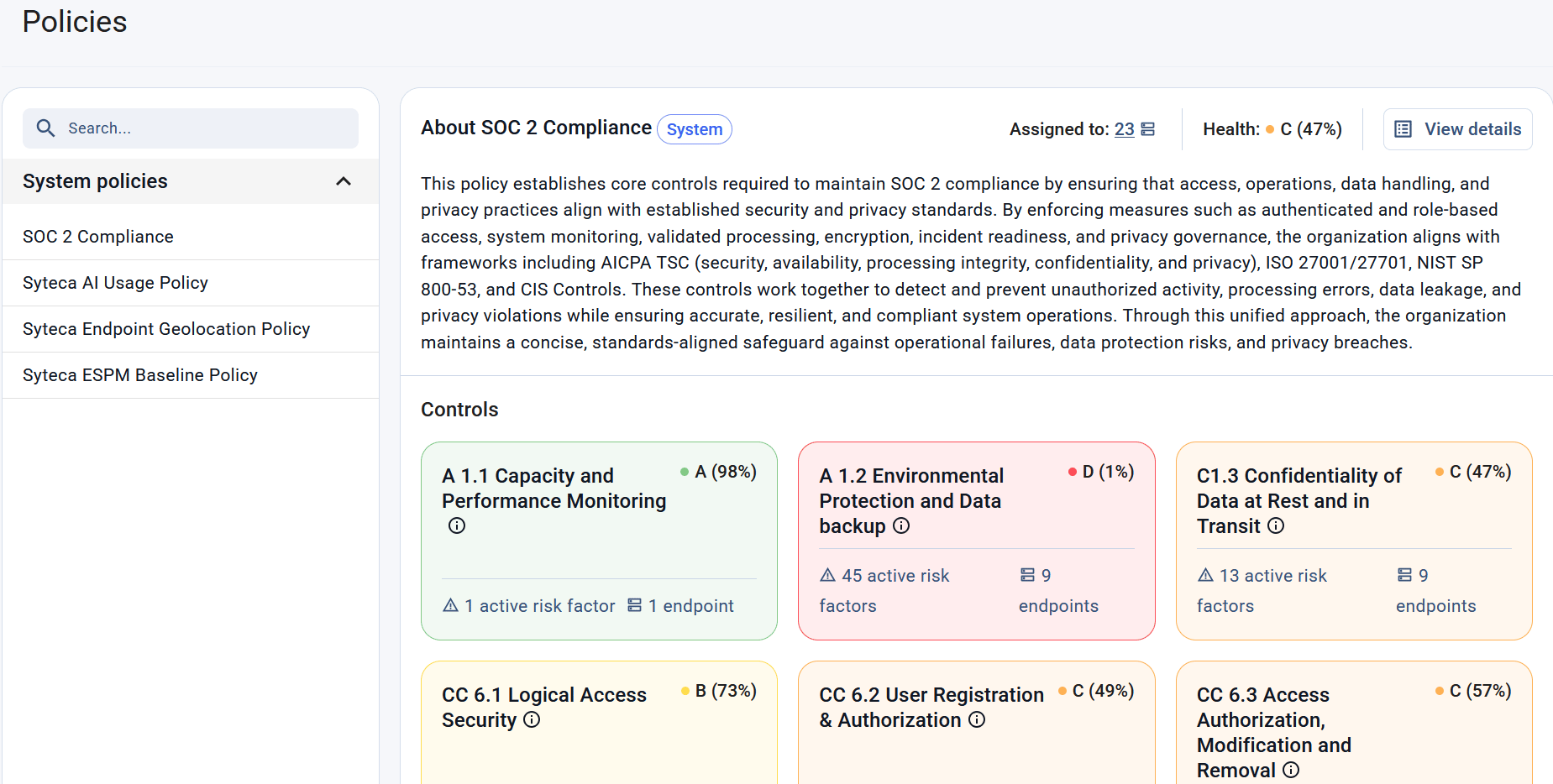
The Policies page with the SOC2 compliance policy in focus.
Policy List
The list of available policies is displayed in the left navigation pane and sorted alphabetically to make policies easy to locate. To quickly find a policy, begin typing part of its name in the search box above the list. The list is filtered as you type and displays only matching policies. Only one policy can be selected at a time. When you select a policy, all information displayed on the page is updated to show information for the selected policy.Policy Details
The Policy Details section provides information about the selected policy, including its purpose, current health, and the number of endpoints to which it is assigned.
To view more policy details, including its risk factors, click Policy Details.
Controls
The Controls section provides an overview of the controls represented by [risk factors(/espm/about-risk-factors#risk-factors) included in the selected policy. Use this section to understand which security or compliance areas are evaluated by the policy and their current health status. Controls are displayed as cards and sorted alphabetically by a control name. The color of each card reflects the control’s current health. Each control card contains the following information:Viewing Control Details
Click a control card to open the Risk Factors tab on the Policy Details page filtered to display active risk factors that belong to the selected control.Related
About policies
Explore security and compliance policies, understand how risk factors, controls, and severity ratings contribute to policy health scores.
Policy details
Analyze a policy’s implementation and impact by reviewing its risk factors, assigned endpoints, and endpoint groups.
Managing policies
Assign and unassign policies for endpoints and endpoint groups to control which risk factors are evaluated during endpoint health assessments.
How to assess and improve policy compliance
Review policy compliance across your environment, identify non-compliant endpoints and risk factors.