Based on the workflow, organizations often choose a role-based access control (RBAC) or an attribute-based access control (ABAC) model. Selecting RBAC vs. ABAC is ultimately a question of whether you want static, role-based permissions or dynamic, attribute-driven access policies.
In this article, we explain the key differences between RBAC and ABAC, highlight their pros and cons, provide actionable tips on implementation, and discuss whether it’s possible to combine them.
Key takeaways
- Role-based access control (RBAC) assigns permissions based on predefined roles. It’s simple, efficient, and ideal for small to mid-sized organizations with stable role hierarchies.
- Attribute-based access control (ABAC) grants access based on user, resource, and environmental attributes, offering granular, context-aware control that is better suited for large or dynamic organizations.
- RBAC focuses on who the user is, while ABAC considers what, when, where, and how access is requested.
- RBAC is easy to manage but can lead to “role explosion” in big organizations, while ABAC provides flexibility and precision but demands complex setup and maintenance.
- Hybrid models (RBAC + ABAC) combine simplicity with adaptability, allowing organizations to enhance and modify their access control strategy over time.
- Implementing any access control model requires a robust cybersecurity solution that offers features like granular access management, real-time monitoring, credential vaulting, multi-factor authentication, and more.
RBAC vs. ABAC at a glance
The ABAC vs. RBAC table below compares how each model manages permissions, adapts to changing requirements, and affects administrative workload.
Title
Grants access based on permissions assigned to a user’s roles
Title
Grants access by evaluating policies against attributes of the user, resource, action, and environment
Title

(For small and medium-sized organizations)
Title
Title
Title
Easy to establish roles and permissions for a small company
Title
Hard to establish all the policies at the start
Title
Hard to maintain the system for a big company
Title
Easy to maintain and support
Title

Title
(Customizing a specific user requires creating a new role)
Title
There are many differences between ABAC and RBAC. Both have benefits and drawbacks, but ultimately, the choice between models depends on your specific organizational needs. Next, we’ll explore each access model separately to help you make an informed decision.
What is role-based access control (RBAC)?
Role-based access control (RBAC) is an access control model based on the idea that every employee is assigned a role. In turn, every role has a corresponding collection of access permissions and restrictions. An employee can access assets and execute operations only if their role in the system has the relevant permissions.
For example, a company’s accountant should be allowed to work with financial information, but shouldn’t have access to clients’ contact information or credit card data.
When a new employee joins your company, it’s easy to assign them a role. With RBAC, if that employee eventually leaves the company, you don’t need to change the role’s parameters or a central policy, as you can simply revoke the user’s role.
Defining a role can be quite challenging, however. You have to consider all the permissions a user needs to perform their duties and the position of this role in your hierarchy. Assigning too many permissions to a single role can contradict the principle of least privilege and may lead to privilege creep and misuse.
Once all the necessary roles are set up, role-based access control reduces the need for constant IT maintenance. Implementing RBAC can help you meet IT security requirements relatively painlessly.
However, creating a complex role system for a large enterprise may be challenging. An organization with thousands of employees can end up with a few thousand roles.
Request access to Syteca’s online demo!
See how Syteca PAM can transform your access management.
How does RBAC work?
The RBAC model connects users to roles and roles to permissions. NIST identifies three primary rules:
1. Role assignment. A user must select or be assigned a role before executing an operation.
2. Role authorization. A user can activate only authorized roles.
3. Transaction authorization. The requested transaction must be permitted by the user’s assigned roles and satisfy any applicable constraints.
Together, these rules ensure that every operation flows through a role, that roles are properly authorized for each user, and that constraints like static or dynamic separation of duties are enforced consistently across the RBAC model.
The main components of the role-based approach include:
- User — an individual with a unique identifier (UID) that has access to a system.
- Role — a named job function (indicates the level of authority).
- Permission — equivalent to access rights.
- Session — a period of working time during which a user utilizes permissions of the roles assigned to them.
- Object — a system resource that requires permission to access.
- Operation — any action in the protected network.

Types of RBAC Models
According to the NIST RBAC model, RBAC can be implemented on four levels. Each subsequent level includes the properties of the previous:
1. Flat RBAC is an implementation of the basic functionality of the RBAC model. All users and permissions are assigned to roles. Users obtain the permissions they need by acquiring these roles. There may be as many roles and permissions as the company needs. A single user can be assigned to multiple roles, and one role can be assigned to multiple users.

2. Hierarchical RBAC, as the name suggests, implements a hierarchy within the role structure. This hierarchy establishes the relationships between roles. Users with senior roles also acquire the permissions of all junior roles that are assigned to their subordinates. The complexity of the hierarchy is defined by the company’s needs.

3. Constrained RBAC adds separation of duties (SOD) to a security system. SOD is a well-known security practice where a single duty is spread among several employees. It’s quite important for medium-sized businesses and large enterprises. Separation of duties guarantees that no employee can introduce fraudulent changes to your system that no one else can audit and/or fix.

4. Symmetric RBAC supports permission-role review as well as user-role review. It allows security administrators to identify permissions assigned to existing roles (and vice versa). For example, by identifying roles of a terminated employee during the user access review process, an administrator can revoke the employee’s permissions and then reassign the roles to another user with the same or a different set of permissions.

The simplicity and clarity of the RBAC model make it a popular choice among small and medium-sized businesses with relatively static employee roles. These organizations typically have a limited number of roles and straightforward workflows, making it possible to determine and manage roles with minimal overhead. However, in large enterprises, the number of distinct roles can grow into the hundreds or thousands — a phenomenon known as “role explosion”. Managing an RBAC system with hundreds of roles becomes challenging and may require significant administrative effort. This is where a more flexible model like ABAC may prove useful.
What is attribute-based access control (ABAC)?
Attribute-based access control (ABAC) is a more dynamic access control model that evolved to address the limitations of RBAC. Instead of strictly assigning permissions via roles, ABAC suggests establishing a set of attributes for every element in your system.
NIST Special Publication 800‑162 defines ABAC as a method where policies expressed in terms of attributes and rules are evaluated for each request to determine whether the requested operations are allowed.
ABAC introduces context and flexibility — access is granted not only based on who you are (your role) but also on what you are attempting to access, how, when, and under what conditions. In the ABAC model, attributes can be modified for the needs of a particular user without creating a new role. Attributes make ABAC a more granular access control model than RBAC.
The main components of the ABAC model, according to NIST, include:
- Attribute — a characteristic of any element in the network. An attribute can define:
- User characteristics — employee position, department, IP address, clearance level, etc.
- Object characteristics — type, creator, sensitivity, required clearance level, etc.
- Type of action — read, write, edit, copy, paste, etc.
- Environment characteristics — time, day of the week, location, etc.
- Subject — any user or resource that can perform actions in the network; a subject is assigned attributes in order to define its clearance level
- Object — any data stored in the network; objects are assigned attributes in order to describe and identify them
- Operation — any action taken by any subject in the network
- Policy — a set of rules allowing or restricting any action in your information retrieval system; rules are IF/THEN statements based on attributes of any element (user, resource, environment)

In practice, ABAC is most commonly used in large enterprises or highly regulated environments where the granular control it provides is worth the additional complexity. ABAC requires more effort to configure and deploy than RBAC, as security administrators need to define all attributes for all elements in your system.
How does ABAC work?
An ABAC model typically involves four main components:
- The policy enforcement point (PEP) intercepts access requests from users or services and forwards them to the PDP for a decision.
- The policy decision point (PDP) evaluates the request against policies by retrieving all relevant attributes from the PIP and then returning an “allow” or “deny” decision.
- The policy information point (PIP) provides attribute data about subjects, objects, and environmental conditions — for example, user department, resource sensitivity, or current threat level.
- The policy administration point (PAP) is where administrators create, update, and manage policies expressed as rules over attributes and conditions.
This architecture lets you centralize policies while distributing enforcement across multiple PEPs, ensuring that each ABAC decision uses current attributes and context without duplicating logic in every application or service.
ABAC examples
A simple example of attribute-based access control is a policy that allows financial analysts to view sales revenue data only from the corporate network during business hours. The policy checks attributes such as the user’s job function, resource type, time of day, and network before permitting access.
For privileged access, a policy might allow database administrators to start a maintenance session on production databases only if their device is compliant, a manager has approved the request, and the session is initiated from a secure bastion host. Here, device health, approval status, resource classification, and connection path determine whether access should be granted. Such policies are particularly useful in zero trust environments, where access decisions involve more than a user’s role.
Explore the power of Syteca!
Test how Syteca can help you provide secure access to your systems.
RBAC vs. ABAC: Key differences
While both RBAC and ABAC aim to enforce least privilege and protect sensitive data, they differ in how they provide authorization.
RBAC groups permissions into roles, making it clear who can do what and enabling onboarding or offboarding by assigning or revoking roles. However, it struggles in contexts where decisions depend on dynamic factors such as location, device posture, or real‑time risk.
ABAC, by contrast, expresses policies directly in terms of attributes and conditions, allowing for fine‑grained, contextual decisions.
To help you decide which approach best fits your organization’s size, structure, and security needs, let’s take a closer look at the advantages and disadvantages of each.
RBAC pros and cons
Before diving into the pros and cons of role-based access control, we’d like to emphasize that RBAC is still the most prevalent approach to access management today. Some key benefits of role-based access control include:
- Simplified administration. With RBAC, you manage permissions by role rather than for each user. This significantly reduces administrative overhead in environments where roles are clearly defined. Onboarding or offboarding a user is as easy as assigning or removing roles — you don’t need to handle dozens of individual permissions for every account.
- Consistent enforcement of security policies. Roles correspond to job duties, which often align with the principle of least privilege. By bundling only the necessary permissions into each role, you can ensure users don’t receive access beyond what they require.
However, there are also some disadvantages of role-based access control:
- Role explosion. In large enterprises, creating a perfectly fitting role for every job function can lead to hundreds of roles. Maintaining such a vast role hierarchy is challenging. The more roles an organization has, the more resources it needs to manage them.
- Inflexibility to dynamic conditions. RBAC rules are static since permissions are tied to roles defined in advance. You cannot easily incorporate context like time of day or user location into a basic RBAC rule.
- Customization challenges. If two users share the same role, RBAC alone can’t provide enough granularity to grant each user different access permissions to specific assets — they both have identical privileges. And if you need to make a one-time exception (e.g., temporary access to an additional resource), RBAC requires you to create a new role or modify an existing role’s permissions. This may lead to privilege creep if you forget to revoke elevated access after the task is completed.
Despite its restrictions, RBAC continues to dominate because many teams can implement it even with limited resources.
ABAC pros and cons
The main benefits of attribute-based access control are flexibility and adaptability. ABAC grants access based on different attributes rather than a user’s role alone. This means you can enforce very granular access policies.
- Fine-grained control. In ABAC, access decisions are based on multiple detailed attributes, allowing you to define very specific, granular, and context-aware permissions instead of broad, role-based ones. For example, if a user’s job posture changes (say they move to a different department), you can update their attributes instantly, without requiring a role change.
- Contextual security. Since ABAC can enforce conditions like time, location, device security, or clearance level, it supports the principle of zero trust security. Access is never granted based solely on network location or user role — it’s granted dynamically, through continuous verification of contextual attributes such as user identity, device, location, and time.
- Scalability. ABAC scales easily as your organization grows. Since access rules are based on dynamic attributes rather than fixed roles, you don’t need to constantly redefine or expand role hierarchies when new users are added.
The disadvantages of this model are primarily connected with complexity:
- Attribute sprawl. ABAC may introduce risks such as uneven distribution of attributes, inconsistent naming, and a lack of clear ownership.
- Harder implementation. Defining the right set of attributes and policies takes considerable upfront work. It requires involvement from various departments to define what rules are needed.
- Performance issues. Every access request in an ABAC system triggers the evaluation of numerous attributes and rules. This can introduce performance issues for your whole network.
- Complicated maintenance. ABAC is only as effective as the accuracy of its attribute data. Updating all user attributes (role, department, clearance, status, etc.) and resource attributes in real-time is an ongoing challenge.
In short, ABAC’s advantages lie in its granularity, flexibility, and alignment with modern security needs, while its drawbacks include complexity and higher implementation overhead. Many organizations view ABAC as a long-term investment: it requires more effort at the start, but once in place, it can be easier to adjust and maintain granular access policies over time.
When to use RBAC or ABAC?
RBAC is simpler to implement and manage, which makes it the ideal choice for smaller companies with straightforward access control requirements. If you aren’t planning to onboard new people and have already established responsibilities within your teams, applying an RBAC model is the optimal decision.
ABAC offers a higher degree of flexibility and granularity, which may be key for large and growing organizations. As your organization evolves, ABAC can accommodate new users, resources, and access requirements without restructuring or reconfiguring your existing systems.
- Your organization is small or medium-sized, and you have no plans for scaling.
- Your employees’ job responsibilities are relatively straightforward, and you don’t need to create a large number of roles to accommodate everyone.
- You have limited time, resources, and/or budget for implementing an access control policy.
- Your organization is large and/or constantly growing.
- You have many employees whose responsibilities are quite diverse, and you require customization in regard to access control policies.
- You have ample time, resources, and budget for implementing a granular access control policy.
Ultimately, your ABAC vs. RBAC decision should be based on your organization’s specific needs and long-term growth plans.
Three ways to use RBAC and ABAC together
Companies commonly start with implementing a flat RBAC model, as it’s easier to set up and maintain. As organizations grow and handle more sensitive data, they often realize they need a more flexible access control system. However, abandoning the old access control system and building a new one from scratch is time-consuming and expensive. That’s why a lot of companies just add the required features to the existing system. In such cases, RBAC and ABAC can be used together.
This access model is also known as role-based access control with attributes (RBAC-A). It is an extension of the traditional RBAC model, which adds additional attributes or characteristics to roles to further refine access control decisions. Using an RBAC-A model, you can define roles based not only on job responsibilities but also on attributes such as location, time of day, user attributes (department, job title, etc.), or resource attributes (sensitivity level, classification, etc.).
There are three RBAC-A approaches that handle relationships between roles and attributes:

- Attribute-centric. A role becomes the name of one of the user attributes, resembling a job title. The “role” attribute in such a model is used to mark a set of attributes required for a certain position.
- Role-centric. Attributes are added to constrain roles. In such a model, attributes are added to reduce rather than expand user permissions.
- Dynamic roles. Attributes such as time of day are used to determine the subject’s role. In some cases, a user’s role can be fully determined by dynamic attributes.
To migrate from a simple RBAC model to RBAC-A, start by reviewing existing roles and permissions and identifying where additional conditions are needed. Continue assigning permissions through roles. Add a few attributes, such as device status or resource sensitivity, and obtain their values from trusted data sources. For example, you could allow administrators to access production servers only during approved maintenance windows. Test the new rules on a limited set of resources to confirm that they allow and deny access as intended. Gradually extend them to other resources and review attributes and policies regularly.
Besides the RBAC-A model, there’s a similar method called next generation access control (NGAC) developed by NIST. NGAC addresses the limitations of existing access control models and provides more granular, dynamic, and context-aware access control capabilities. Its implementation is similar to the attribute-based access control model, but has a more refined approach to policies. For example, NGAC supports several types of policies simultaneously, including those applied both in the local environment and in the network.
Applying RBAC and ABAC to privileged access
Privileged accounts, such as those used by administrators, DevOps engineers, and services, carry the highest risk, and both RBAC and ABAC must be applied carefully to avoid over‑provisioning.
A robust privileged access management (PAM) strategy typically combines:
- Standing privilege reduction. Use RBAC to define clear privileged roles, but minimize always‑on access. Instead, grant just‑in‑time (JIT) access for specific tasks and durations.
- Context-aware controls. Use ABAC policies to enforce conditions such as approved change tickets, device compliance, time windows, and secure connection paths before privileged sessions start.
- Approval workflows. Require approval for high-risk access requests.
- Logging and monitoring. Log privileged activity and monitor sessions to support investigations and accountability.
These practices can also support compliance efforts. NIS2 requires establishing access control policies as part of cybersecurity risk management, while DORA requires covered financial entities to limit access to legitimate, approved functions and activities. PCI DSS requires access restrictions to be specified based on business need, as well as logging and monitoring of activities such as accessing cardholder data.
Manage user access effectively with Syteca
Regardless of whether you choose RBAC, ABAC, or a combination of the two, having the right tools is essential for effective access management, server security management, and overall organizational security. The Syteca Inside Security Platform provides a comprehensive suite of capabilities to help you efficiently manage user access:
- Privileged access management (PAM). Control access to sensitive systems with approval workflows and time-limited permissions. Syteca’s Web Connection Manager enables employees and vendors to launch secure privileged sessions directly in a browser, without installing software on their devices.
- Privilege elevation and delegation management (PEDM). Give users elevated time-bound permissions for approved tasks without granting permanent local administrator rights. Define elevation rules, require approval for sensitive actions, and maintain an audit trail of elevation decisions.
- Privileged account discovery. Automatically scan your environment for supported privileged user and service accounts across Windows and Linux. Schedule discovery scans and onboard selected accounts into Syteca’s password vault, helping your team bring unmanaged credentials under centralized control and apply consistent access policies.
- Password management. Store credentials in an encrypted vault and automate password rotation. Syteca also enables users to connect to privileged accounts without seeing the passwords, thus reducing credential exposure.
- Multi-factor authentication (MFA). Add an identity verification step before users access protected systems. Syteca supports one-time passcodes, helping you reduce the risk of unauthorized access through compromised passwords.
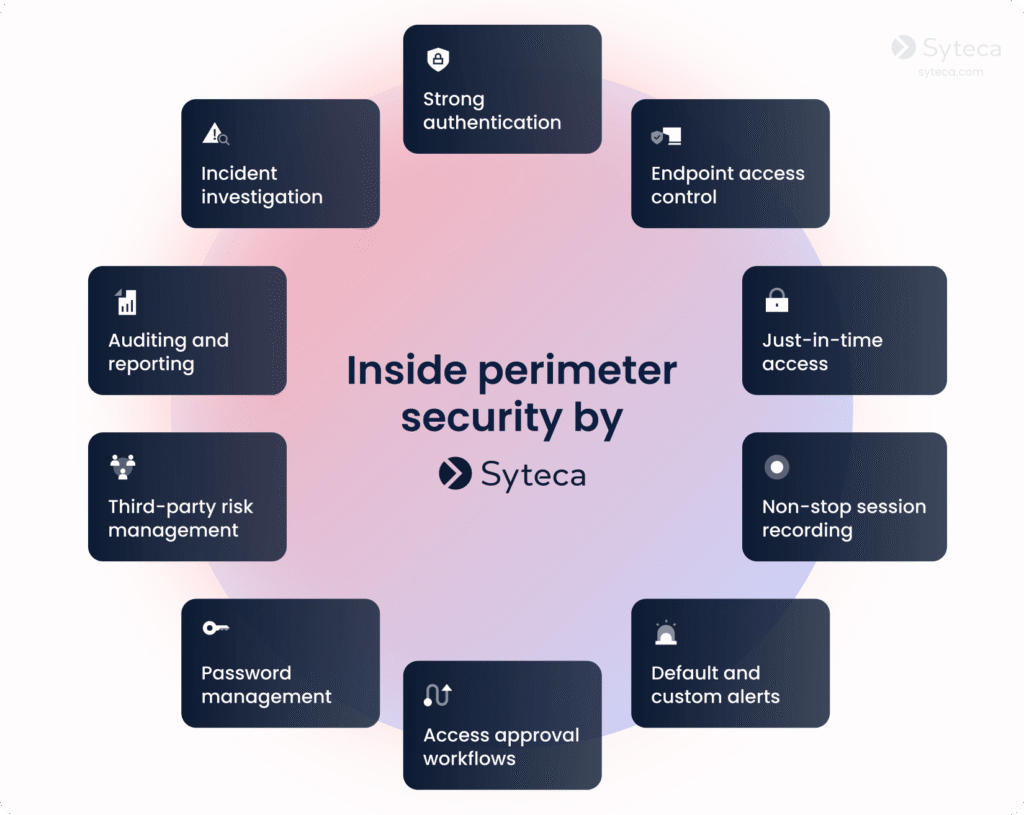
Beyond access control, Syteca helps you detect and investigate suspicious activity:
- Session monitoring. View and record user sessions and investigate activity using searchable metadata that includes information on launched applications, URLs, and commands. Sensitive data masking and pseudonymization help protect confidential user information while giving investigators the context they need to review security events.
- Real-time incident response. Detect potential threats with predefined or custom alert rules and notify your security team of suspicious or risky activity. Configure automated responses, such as blocking a user or terminating a process, to help contain threats as they unfold.
Putting the right access model into action
Access management is an essential component of any reliable security system. Both the RBAC and ABAC models have their advantages and disadvantages. RBAC offers simplicity and clarity, while ABAC provides flexibility and precision. When choosing between role-based access control vs. attribute-based access control, it’s also important to consider how to most efficiently manage access privileges. Dedicated tools can help you securely authenticate users, continuously monitor their activity, and promptly respond to anomalies.
Syteca helps you ensure that only the right people access the right resources. By deploying Syteca, you can enforce the least privilege principle, reduce threats, and adapt your access management strategy as your organization grows and evolves.
Ready to try Syteca? Access the Demo now!
Clients from 70+ countries already use Syteca.
FAQ
Neither model is universally “better”. RBAC is often a practical starting point when access requirements align with well-defined roles. ABAC offers more flexibility when decisions also depend on device status, resource sensitivity, or other contextual factors.
ABAC can enforce more detailed policies by considering attributes like device posture, location, and threat level. However, poorly designed or unmaintained ABAC policies can be just as risky as misconfigured RBAC, so overall security depends on policy quality, attribute governance, and monitoring.
RBAC is one possible authorization model within a broader identity and access management (IAM) program, which also covers identity lifecycle, authentication, and auditing. You can implement RBAC in IAM platforms to simplify privilege administration by assigning users to roles instead of managing hundreds of individual permissions per account.
In cloud platforms like AWS, you typically combine role‑based concepts (IAM roles, groups) with attribute‑rich policies (conditions based on tags, IP ranges, time of day, or MFA status). IAM roles provide RBAC‑style grouping of permissions, while policy conditions and resource tags let you express ABAC‑style constraints over attributes and environment.
Yes. Many mature environments combine RBAC, ABAC, and relationship-based access control (ReBAC), using each where it fits best.