Excessive user permissions leave the doors open to costly data breaches and compliance issues. Regular user access reviews can safeguard your organization against these risks, ensuring that access permissions align with current user roles and responsibilities. In this article, you’ll discover best practices and a practical checklist for efficient user access reviews.
Key takeaways:
- Risks associated with inappropriate user access include privilege creep, misuse, and escalation.
- Periodic user access reviews ensure that people have access to what they truly need, helping you with detecting and responding to unauthorized access early on.
- Reviewing user access is required by many cybersecurity standards, laws, and regulations, including HIPAA, SOC 2, and the GDPR.
- Implementing role-based access control can help you align user access with employees’ responsibilities.
- Support user access reviews with cybersecurity solutions such as Syteca, which offer privileged access controls, account discovery, just-in-time access management, and user activity monitoring.
What is a user access review, and why is it important?
A user access review (UAR) is one of the essential data security best practices that involves periodically reviewing the access rights of all your employees and third-party users. A user access review is also a crucial pillar of a robust identity and access management strategy. Reviews typically involve checking who has access to which systems, applications, and data, and adjusting permissions if necessary.
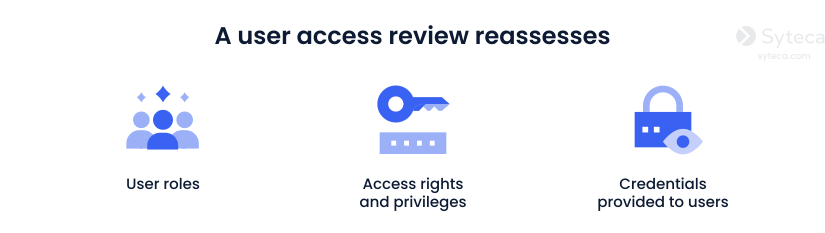
The ultimate goal of a user access review is to minimize the risk of a security incident by restricting access to sensitive resources. Regularly reviewing access rights can also help you reduce system clutter and simplify the user experience for employees by granting them access only to what they need.
Main types of user access reviews
Each type of user access review addresses a unique challenge, such as responding to employee role changes, monitoring high-risk accounts, or meeting compliance requirements.
Periodic access reviews
Periodic access reviews are conducted at regular intervals to ensure that users’ access rights align with their current roles and responsibilities. These reviews provide a broad and systematic approach to managing access by examining all user accounts across the organization. They are particularly effective for identifying outdated permissions, such as those belonging to former employees or users who have changed roles.
Event-driven access reviews
Event-driven access reviews are triggered by changes or transitions within an organization, such as employee onboarding, offboarding, promotions, or department restructuring. The primary focus is on users whose roles within the organization have changed and ensuring their permissions are promptly adjusted. Event-driven reviews can also be initiated after policy changes or security incidents.
Continuous access reviews
The continuous access review process involves the ongoing, real-time assessment of user activities and access rights through automated user access review tools. It supports the continuous adaptive trust approach that involves the ongoing evaluation and adjustment of user access permissions based on real-time analysis of user behavior in context. The continuous user access review process often involves the use of AI, machine learning, and behavior monitoring to identify unusual access activity and mitigate risks as they emerge.
By tailoring user access reviews to your cybersecurity needs, you can effectively mitigate risks associated with excessive user access.
Risks associated with inappropriate user access
Below, we describe the main risks of accounts with excessive access rights and how they can compromise your network.
Risks associated with inappropriate user access rights
Privilege creep occurs when employees obtain access to more critical systems and sensitive data than required to perform their jobs. New access privileges may be granted as employees gain new responsibilities, while old ones may go unrevoked.
Privilege misuse refers to the use of legitimately granted privileges to perform actions that differ from or are contrary to the intended use. These actions may be unintentional, deliberate, or negligent, but they often lead to cybersecurity incidents.
Privilege abuse takes place when malicious actors intentionally exploit their privileges to exfiltrate, compromise, or damage your organization’s confidential assets. Both insiders and external attackers can compromise privileged accounts and use them for malicious purposes.
Privilege escalation occurs when users employ malicious techniques to illicitly gain access rights beyond those permitted or required. Such users might exploit their elevated privileges to further infiltrate your IT environment and gain higher-level access to your critical systems.
Regular user access reviews are crucial to mitigate the risks associated with excessive permissions. During an access review, a security officer aligns users’ access rights with their current roles and limits employees’ privileges to the strictly necessary minimum, reducing the risks of privilege creep, misuse, abuse, and escalation.
Regular reviews of user access logs can also reveal unusual or unauthorized activities tied to privileged accounts. Early detection of such anomalies enables you to take swift action, thereby preventing security incidents.
That said, conducting an effective user access review may pose some challenges you should be aware of.
Common challenges with user access reviews
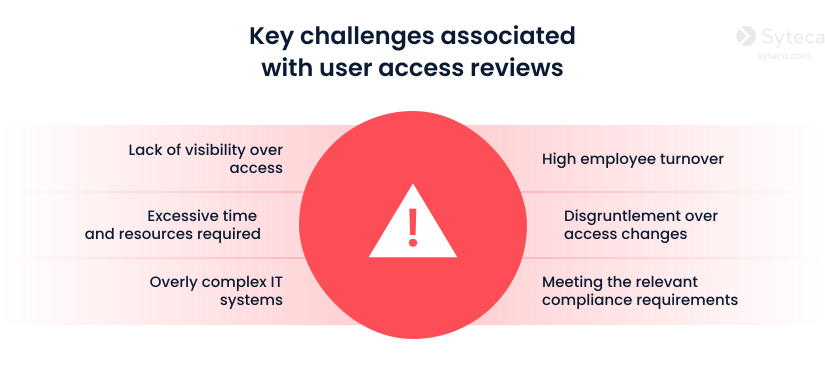
As is often the case with cybersecurity, companies encounter particular challenges and obstacles. Regularly conducting user access reviews can pose the following difficulties to organizations:
Lack of visibility over access
Organizations often lack visibility into the systems and apps that employees can access. Without full control over access permissions and privileges, user access reviews can be time-consuming and error-prone.
Solution:
Implement dedicated access control solutions that simplify the management of access permissions.
Case study:
Laniado Medical Center, a healthcare provider, needed a solution to protect sensitive data while efficiently managing both third-party and internal access.
Syteca helped them gain centralized control over privileged access and improve their ability to detect and respond to threats.
Today, the hospital benefits from full visibility into vendor and employee access.
Read more here.
Excessive time and resources required
Examining user access rights and permissions can be a daunting and resource-intensive task for both SMBs and large organizations.
Solution:
Employ tools designed to locate all accounts within your IT environment and simplify configuring their access permissions.
Overly complex IT systems
Modern IT environments often contain many applications, databases, and systems, making it challenging to identify and review all user access rights and permissions.
Solution:
Deploy cybersecurity software that works across multiple platforms and can centralize access management within your IT environment.
High employee turnover
Tracking who has access to specific systems and applications can be challenging when your organization has high employee turnover. As a result, access may not be revoked in time.
Solution:
Select solutions that enable your team to adjust or revoke access permissions without the need to log in to each application separately.
Disgruntlement over access changes
Users may resent reviews that result in changes to their access rights, even if those changes enhance the organization’s cybersecurity. This may lead to reduced productivity and dissatisfaction with the organization.
Solution:
Communicate access changes openly, explaining why certain permissions are limited and how user access reviews protect both the organization and its employees.
Meeting the relevant compliance requirements
Another challenge is adhering to regulatory constraints for securing user access, which have become increasingly common across various sectors. Compliance requirements differ by industry and location, and often change over time.
Solution:
Map the regulatory frameworks your organization needs to comply with, study their requirements, and align your access review processes with them. At this step, you can benefit from our information security policies guide to document all policies that support consistent user access reviews.
What standards, laws, and regulations require user access reviews?
User access right reviews are required by many international IT security standards and regulations, including:
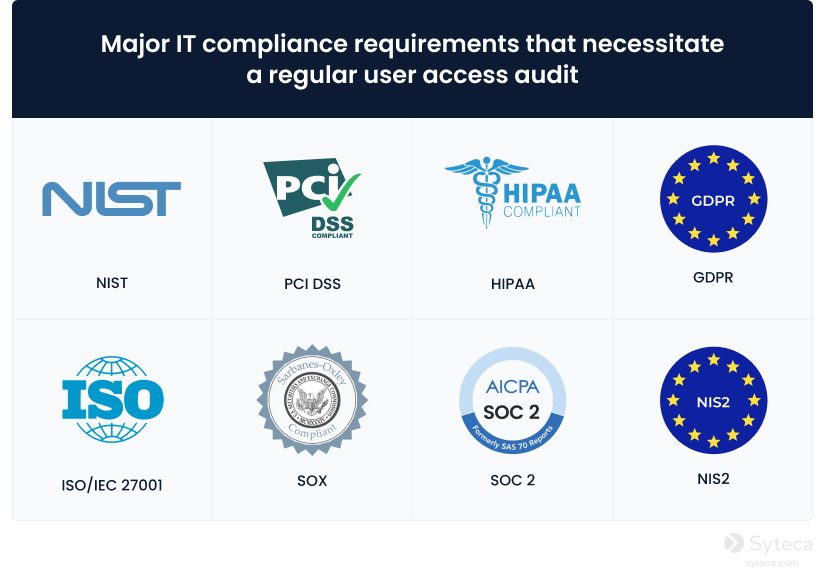
Reviewing user access rights is mandated by many international IT security requirements, including:
NIST
The National Institute of Standards and Technology (NIST) is a non-regulatory US government agency that provides cybersecurity guidelines and standards followed worldwide.
UAR Requirements: The AC-1 and AC-2 controls in NIST Special Publication 800-53 require organizations to conduct a periodic review of access rights and policies. Organizations are permitted to create their own schedules for user access reviews and use software solutions to conduct them.
PCI DSS
The Payment Card Industry Data Security Standard (PCI DSS) is a global security standard for organizations that process credit card and cardholder data.
UAR Requirements: PCI DSS Requirement 7.2.5 describes obligatory measures that can be achieved with the implementation of granular access controls and the principle of least privilege. In turn, PCI DSS Requirement 7.2.5.1 mandates organizations to perform periodic user access reviews for application and system accounts, with the frequency determined by a targeted risk analysis.
HIPAA
The Health Insurance Portability and Accountability Act (HIPAA) is a US law that establishes data protection requirements for companies handling healthcare data.
Requirements regarding UAR: HIPAA §164.308, Administrative Safeguards [PDF], mandates periodic reviews of access policies and the implementation of procedures to establish, document, review, and modify user access rights. To avoid HIPAA violation penalties, healthcare organizations must fulfill this requirement and pass audits by the US Department of Health and Human Services.
GDPR
The General Data Protection Regulation (GDPR) unites data privacy laws across the European Union (EU) and applies to organizations that collect and process the personal data of EU residents. For a broader overview, see this GDPR compliance guide.
UAR Requirements: Article 32 of the GDPR requires organizations to audit the data they process and people with access to it (including employees and third-party vendors). Failure to comply may result in substantial fines.
ISO/IEC 27001
ISO/IEC 27001 is an international standard for the management of information security. It provides a framework for establishing, implementing, maintaining, and continuously improving information security management systems (ISMS).
UAR Requirements: Annex A.5 of the ISO/IEC 27001 standard states that organizations must perform periodic access reviews to ensure users have the appropriate access levels needed for their roles. Reviews of users with privileged access rights should be conducted more frequently than for regular users.
SOX
The Sarbanes–Oxley Act (SOX) is a US law containing requirements for public accounting organizations.
UAR Requirements: Section 404 of the SOX Act requires entities to assess and disclose information on internal controls for financial reporting and on the integrity of their reports. As for digital records, it emphasizes the enforcement of access control procedures, including through user access reviews.
SOC2
The System and Organization Controls 2 (SOC2) framework is designed for service organizations that handle customer data. It’s based on the Trust Services Criteria developed by the American Institute of Certified Public Accountants and guides companies on how to secure client data.
UAR Requirements: According to the Trust Services Criterion CC6.2 of SOC 2, entities must restrict access to systems, applications, and data to authorized personnel only. The same criterion also requires regular user access audits to ensure the timely removal of user credentials when access is revoked.
NIS2
The NIS2 Directive (Directive (EU) 2022/2555) is an EU-wide cybersecurity law that establishes measures to achieve a high common level of cybersecurity across essential and important entities within the European Union.
UAR Requirements: Section 11.3 of Annex I of NIS2 states that organizations must maintain policies for managing privileged and system administration accounts. These policies call for enforcing strong authentication, defining strict roles of system and server administrators, limiting administrative privileges, and ensuring that access rights for privileged accounts are reviewed consistently and adjusted according to organizational changes. The results of such reviews must be documented.
Conducting a user entitlement review helps you strengthen data security, facilitate the management of access to critical data and systems, and reduce the risks of reputational and financial losses.
In the next section, we’ve provided a UAR checklist to help you conduct this process effectively.
User access review checklist: 8 key steps
A well-planned and meticulous user access review process can reduce the risk of cybersecurity threats to your organization’s critical assets.
We’ve created a user access review template that you can use as a checklist during your audits:
User access review checklist
1
Define the scope of the user access audit
2
Revoke permissions of ex-employees
3
Remove shadow admin accounts
4
Ensure employees don’t have access permissions from previous positions
5
Align user access with the segregation of duties principle
6
Make sure that employees and vendors have the fewest privileges possible
7
Eliminate standing privileges
8
Analyze the results of the review and draw conclusions
1. Define the scope of the user access audit
Сlearly identify which applications, systems, resources, and accounts will be reviewed. With a defined scope and plan, you can conduct the audit efficiently and systematically. Prioritize accounts for review based on risk profiles to accelerate the UAR process and make it more efficient.
2. Revoke permissions of ex-employees
Pay close attention to whether former employees’ accounts are still active in your network. Maintain and refer to a list of employees who have left since the previous user access review report to ensure their access rights are terminated. Ultimately, revoking user access rights immediately after resignation is the safest option.
You can easily revoke former employees’ permissions with Syteca — a comprehensive cybersecurity platform that allows you to manage user accounts and access rights in just a couple of clicks.
Experience a Syteca online demo!
See how Syteca helps you manage access.
3. Remove shadow admin accounts
Shadow admin accounts are user accounts that aren’t typically included in privileged Active Directory (AD) groups but are granted administrative access permissions directly. Without adequate Active Directory auditing and regular account discovery scans, malicious attackers can use these accounts to escalate and exploit privileges. Consider removing shadow admin accounts or at least monitoring their activity.
4. Ensure employees don’t have access permissions from previous positions
As employees change positions within the organization, their access permissions can accumulate, causing privilege creep. During the user access review process, we recommend that you ensure employees’ access permissions match their current job responsibilities. Be sure to check if employees who have recently switched departments still have permissions from their previous job posts.
5. Align user access with the segregation of duties principle
Check whether users have conflicting access permissions that violate the segregation of duties (SoD) principle. When one person can complete multiple steps in a sensitive process, such as both submitting and approving payments, it increases the risk of fraud or misuse. Distribute access so that permissions are shared between users, roles, or teams.
6. Make sure that employees and vendors have the fewest privileges possible
The fewer privileges a user has, the less time you need to spend reviewing them. Enforce the principle of least privilege in your organization by granting employees and vendors access to only the resources and assets essential to performing their job duties.
By using a privileged access management (PAM) solution, you can grant new accounts minimal privileges by default and apply granular access controls, ensuring adherence to the principle of least privilege.
7. Eliminate standing privileges
Revoke standing privileges and ensure that users receive elevated access only when it’s absolutely required. Instead of assigning permanent roles for short-term tasks, grant just-in-time privileged access or use one-time passwords (OTP).
With Syteca PAM, you can implement the just-in-time approach by granting temporary access to critical assets only when users need it to complete their jobs and revoking access permissions when they finish the task. Additionally, Syteca enables manual approval of access requests and OTP provisioning.
8. Analyze the results of the review and draw conclusions
Ideally, each user access review procedure should lead to improvements in the way you manage user access in your organization. Therefore, you should note and address all issues identified during the review. Afterward, create an analysis summary of those issues and the steps that must be taken to mitigate them.
How to measure the effectiveness of user access reviews
Evaluating the impact of your user access reviews is as critical as conducting them. User access review control allows you to continuously refine your access management processes and reduce risk exposure.
Here are the key indicators you should track throughout the UAR process:
Metrics to track when evaluating the effectiveness of UAR

Number of excessive privileges
Average time to remediate access-related issues
Number of risky accounts
Compliance results
Number of access-related incidents
Automation rates
1. Number of excessive privileges
One of the primary goals of a user access review is to eliminate unnecessary permissions. Therefore, you should track:
- Number of privileges revoked during each review cycle
- Percentage of users with elevated access before and after the review
- Number of inactive accounts removed
- Percentage of users with entitlements outside defined roles
A steady reduction in these metrics indicates that your review process is working effectively to minimize the risk of privilege creep.
2. Average time to remediate access-related issues
Measure how quickly issues identified are resolved after a review. This includes:
- Time required to revoke access for ex-employees
- Time to adjust permissions after role changes
- Time to remediate identified access issues
If the remediation cycle becomes shorter, this means your operational processes and internal coordination become stronger.
3. Number of risky accounts
To evaluate review effectiveness, track how many risky accounts are identified:
- Number of dormant privileged accounts
- Number of accounts with segregation-of-duties (SoD) violations
- Number of accounts without a defined owner
A consistent decrease in these findings may indicate improved access review processes and stronger governance controls.
4. Compliance results
A practical way to measure the effectiveness of your UAR is by evaluating audit outcomes:
- Compliance gaps related to access management
- Time required to produce audit evidence
- Percentage of accounts and systems included in the formal review scope
If you can demonstrate fewer access-related vulnerabilities, a shorter time needed to collect evidence, and an increase in the percentage of in-scope accounts, your user access review process becomes more controlled, traceable, and audit-ready.
Regulatory frameworks such as NIST 800-53, PCI DSS, HIPAA, ISO 27001, SOC 2, SOX, GDPR, and NIS2 require documented, repeatable, and provable access control procedures. Consistent improvement in the abovementioned indicators demonstrates that your UAR program is not only operationally effective but also aligned with the relevant requirements.
5. Number of access-related incidents
You should also track:
- Number of incidents involving privilege misuse
- Number of unauthorized access events
- Percentage of incidents linked to excessive access
If the number of access-related incidents drops, it means your user access reviews are actively enhancing your organization’s cybersecurity.
6. Automation rates
Track how many processes are automated. Metrics may include:
- Percentage of accounts discovered automatically vs. manually
- Number of access reviews completed within a specific period of time
- Reduction of the average time to complete one review
- Decrease in manual effort per review cycle (measured in staff hours)
Automation tools that provide account discovery, granular access control, just-in-time access, and user activity monitoring significantly increase both efficiency and accuracy.
By regularly reviewing these metrics, you can continuously refine your user access review strategy.
User access review best practices for your organization
A privileged user access review can be swift, effective, and painless if you keep your access control policies up to date and implement globally-recognized, industry-approved security procedures. We’ve gathered six best practices for advancing your organization’s user access reviews.
6 best practices for user access audits
Regularly update your access management policy
Review the user access audit procedure
Implement role-based access control
Document each step of the process
Educate your personnel on the importance of access reviews
1. Regularly update your access management policy
Creating a policy is a one-time activity, but updating it as your organization grows is equally important. It helps to ensure that users within your organization have the right level of access to data assets. Make sure to conduct access control reviews and document any changes in protected data, user roles, and access control procedures.
If your organization still doesn’t have an access management policy, create one and make sure it contains:
- a list of data and resources you need to protect
- a list of all user roles, levels, and types of access
- controls, tools, and approaches to secure access
- administrative measures and software used to implement the policy
- procedures for granting, reviewing, and revoking access
To create your policy quickly, you can search for and adapt available access management policy templates relevant to your region and industry.
2. Review the user access audit procedure
Along with an access management policy, you should have a user access review policy that describes how to keep user rights up to date within your organization. Regularly reevaluate the way you implement user access reviews or audits.
A written user access review procedure is part of an access management policy. If you don’t have a formalized procedure yet, make sure to create one that:
- establishes a schedule for reviews
- identifies security officers responsible for user access reviews
- sets a period for notifying employees about upcoming reviews
- defines the contents of the report and a period for reporting review results
Formalizing these aspects enables you to continuously review access permissions and maintain high standards of access control.
3. Implement role-based access control
A role-based access control (RBAC) approach involves creating user roles for similar positions, rather than configuring each user’s account individually. Each role is then assigned a list of access rights.
RBAC speeds up the user access review process. With this approach in place, you can review roles instead of separate profiles. To find out more about this access control model, refer to our in-depth comparison of attribute-based access control vs. role-based access control.
4. Involve key stakeholders
Instead of relying solely on your IT team, consider involving managers in the process to speed things up.
For example, send lists of access rights to managers and ask them to identify resources they no longer need to access. Since managers are more familiar with the responsibilities of their subordinates than anyone else, their involvement can make user access reviews more accurate.
5. Document each step of the process
Documenting the review process is crucial. Keep detailed records of challenges and results for each step of the review in an access review workbook or other forms of documentation.
This formalization provides all parties involved with a clearer understanding of the user access review process. Additionally, it can help you demonstrate compliance with laws and regulations, as well as identify bottlenecks and flaws in your review process.
6. Educate your personnel on the importance of access reviews
If employees don’t understand why it’s important to implement certain practices or use specific tools, there’s a high chance they’ll sabotage them.
That’s why you need to communicate the principles and importance of user access management to your employees during regular cybersecurity awareness training sessions. It’s essential to teach employees involved in conducting user access reviews to diligently follow established policy throughout the process. In addition, teach your employees about various cybersecurity threats, including those related to access rights and privileged accounts.
Streamline your access reviews with Syteca
User access reviews are a key component of the access management process. They can help your organization reduce cybersecurity risks by revoking unnecessary access to sensitive resources and limiting users’ privileges to the required minimum. To ensure your user access review process is consistent, efficient, and compliant, rely on specialized tools such as Syteca, which is designed to give you full visibility and control.
Syteca helps you optimize the user access review process and implement PAM best practices:
- Agentless access. Provide quick, secure access to your IT infrastructure with no hassle by enabling users to initiate RDP and SSH connections through a browser.
- Account discovery. Automate the detection of privileged accounts within your network, ensuring no account is overlooked during reviews.
- Granular access control. Grant employees the permissions necessary for their roles and current job responsibilities only.
- Just-in-time access. Provide elevated permissions for a specific period and revoke them afterward.
- Password management. Securely store, rotate, and share passwords within your IT environment.
- Role-based secret permissions. Define the actions each user can perform with stored secrets based on their role.
- Two-factor authentication (2FA). Verify users’ identities with time-based one-time passcodes to add an extra layer of security to your authentication process.
- Audit trails and reporting. Generate comprehensive audit trails of user activity to streamline compliance efforts and identify potential security issues.
Finally, Syteca lets you go beyond access controls thanks to its identity threat detection and response (ITDR) capabilities. The platform provides you with visibility and control after access is granted, letting you:
- Monitor user activity. Record on-screen activity along with metadata, such as launched apps, opened URLs, typed keystrokes, file uploads, etc.
- Detect risky behavior in real time. Get alerts on suspicious user activity within sessions.
- Respond immediately to threats by automatically terminating sessions, blocking accounts, or sending warning messages to users.
- Investigate faster with forensics-ready evidence, using detailed audit trails, user activity reports, and session records that help you understand who did what, when, and with what intent.
In summary, Syteca helps you catch and stop threats — even when legitimate access is granted.
Syteca is easy to deploy and manage, no matter the size of your organization, and its flexible pricing options are tailored to your business and operational needs.
Want to try Syteca?
Request access to the online demo!
See why clients from 70+ countries already use Syteca.