

1
Log in to the Management Tool
Log in as a user with administrator permissions.
2
Open SSO Integration settings
Click Configuration at the top of the Management Tool, then select the SSO Integration tab.
3
Enter the issuer and upload the metadata
Set Issuer name to your Management Tool URL, and upload your identity provider metadata under Identity provider metadata (xml) using Choose File.
4
Optionally upload a custom certificate
Select Custom certificate, upload the certificate file, and enter the Certificate password.
5
Review the auto-create account setting
The Auto-create a Management Tool account for a new user on the first SSO login checkbox is selected by default. See SSO integration overview for what this controls.
6
Save and download the Management Tool metadata
Click Save, then download the metadata using the metadata URL shown, and download the signing certificate using Download signing certificate.
7
Import the certificate into ForgeRock
Import the downloaded certificate into the ForgeRock trusted store. See ForgeRock’s own documentation for this step.
8
Create an entity provider in ForgeRock
In the ForgeRock AM Admin UI, go to Applications → Federation → Entity Providers, create a new remote service, and upload the metadata downloaded from the Management Tool.
9
Configure the remote service settings
Define the remote service settings as required by your ForgeRock environment.
10
Verify the integration
On the Management Tool login page, click Log in with SSO to confirm the integration works.
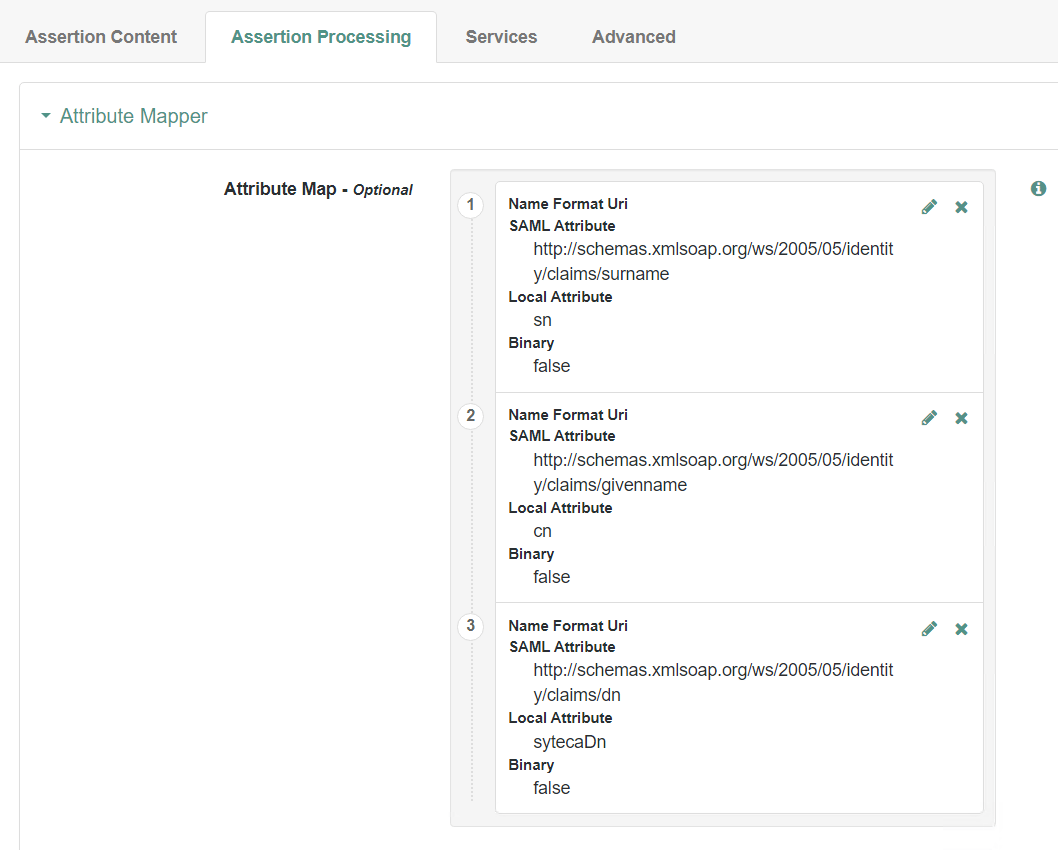
A new remote service created under ForgeRock AM's Entity Providers section.
SSO authentication is not currently supported in Multi-Tenant mode.
Related
SSO integration overview
All supported SSO providers and shared Management Tool settings.
Azure SSO
Configure SSO through Azure instead.
Okta SSO
Configure SSO through Okta instead.
User management
Managing Management Tool user accounts and permissions.