

Access to the Events tab requires the Privilege Elevation administrative permission. Without it, the tab isn’t shown, and its data isn’t reachable by direct URL either.
Open the Events tab
1
Open Privilege Elevation
In the left navigation, under Security, click Privilege Elevation.
2
Select the Events tab
Shows every recorded transaction, most recent first.
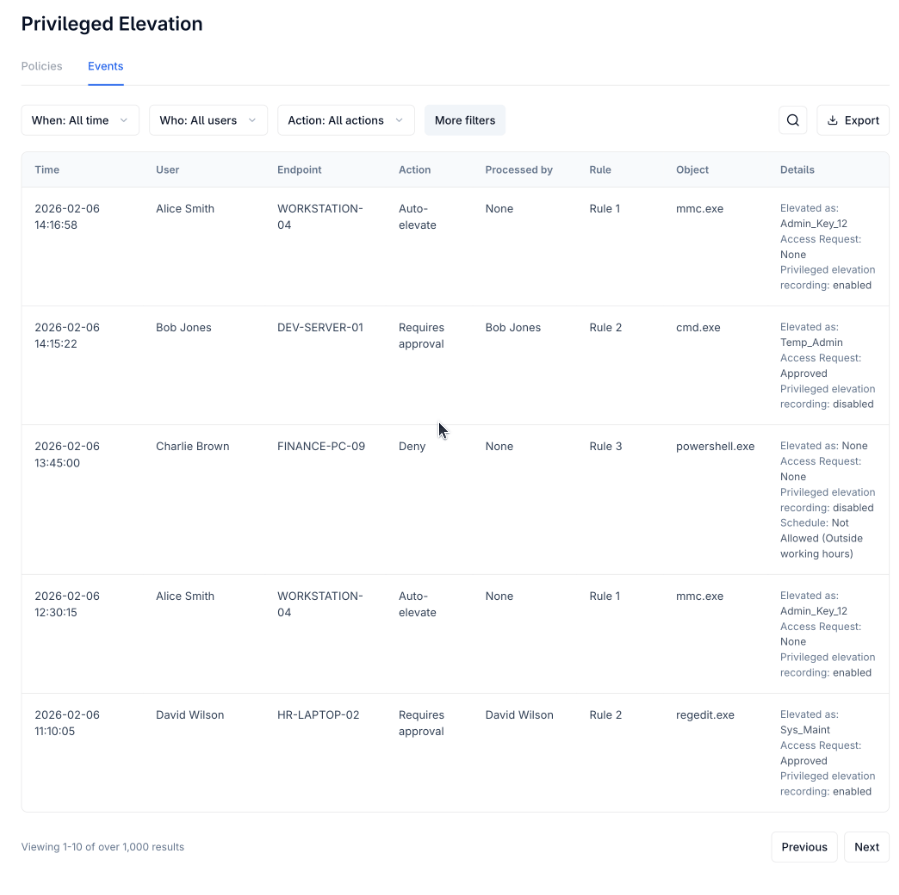
The Privilege Elevation Events tab.
The Events grid
Events remain in the grid even after the rule that generated them is deleted — the audit trail doesn’t depend on the rule still existing.
What the Details column shows
Every event shows three consistent lines:- For Deny events, all three are fixed:
Elevated as: None,Access Request: None,Privilege Elevation recording: disabled. - For a scheduled Auto-elevate rule blocked by its own schedule (outside allowed hours), the event logs as Deny with
Elevated as: None, plus a note on why (for example, outside working hours).
Filters, search, and export
Default filters: When (date range, defaults to all time), Who (defaults to all users), Action (Auto-elevate / Require approval / Deny, defaults to all). More Criteria: Rule, Endpoint, Object, Processed By. Search matches User, Endpoint, Secret, Approver, and Object fields. Export produces a CSV containing every column, respecting whatever filters are currently applied.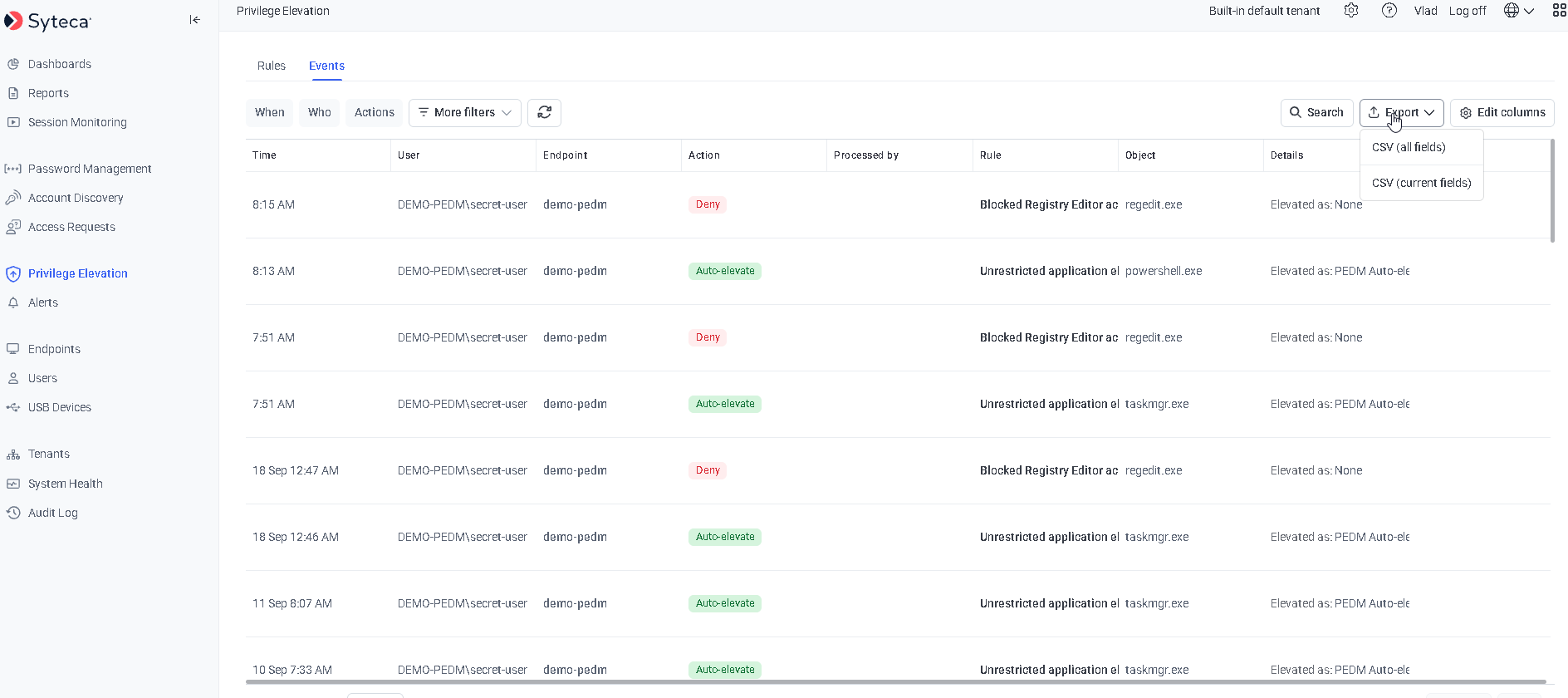
Filtering the Events tab.
Session recording during elevation
If Session recording during elevation was enabled on the rule (available for Auto-elevate and Require approval, not Deny), Syteca can additionally record the elevated session itself — capturing screen, keyboard, and command input for the duration. What actually gets recorded depends on your license:Deny mode never triggers or allows recording — there’s no elevated session to capture.
Related
Overview
What Privilege Elevation does and how it’s licensed.
Creating and managing rules
Where Session recording during elevation is enabled per rule.
End-user experience
What triggers each of the Action values shown here.
Audit log
The administrative audit trail for Management Tool configuration changes.