

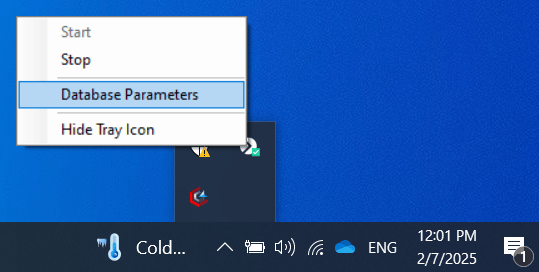
The Syteca Server tray icon and its context menu.
- Start or Stop the Application Server.
- Open Database Parameters to edit the database connection or binary storage location.
- Hide the Syteca Server icon from the notification area.
Related
Database parameters
Change database connection settings and binary storage location.
Master certificate
Back up, export, import, and reissue the master certificate.
Application Server troubleshooting
Diagnose Application Server issues and error messages.
System architecture
Where the Application Server fits into the overall system.